General Settings
Customize Chaterm's appearance, language, layout, and editor behavior from General Settings.
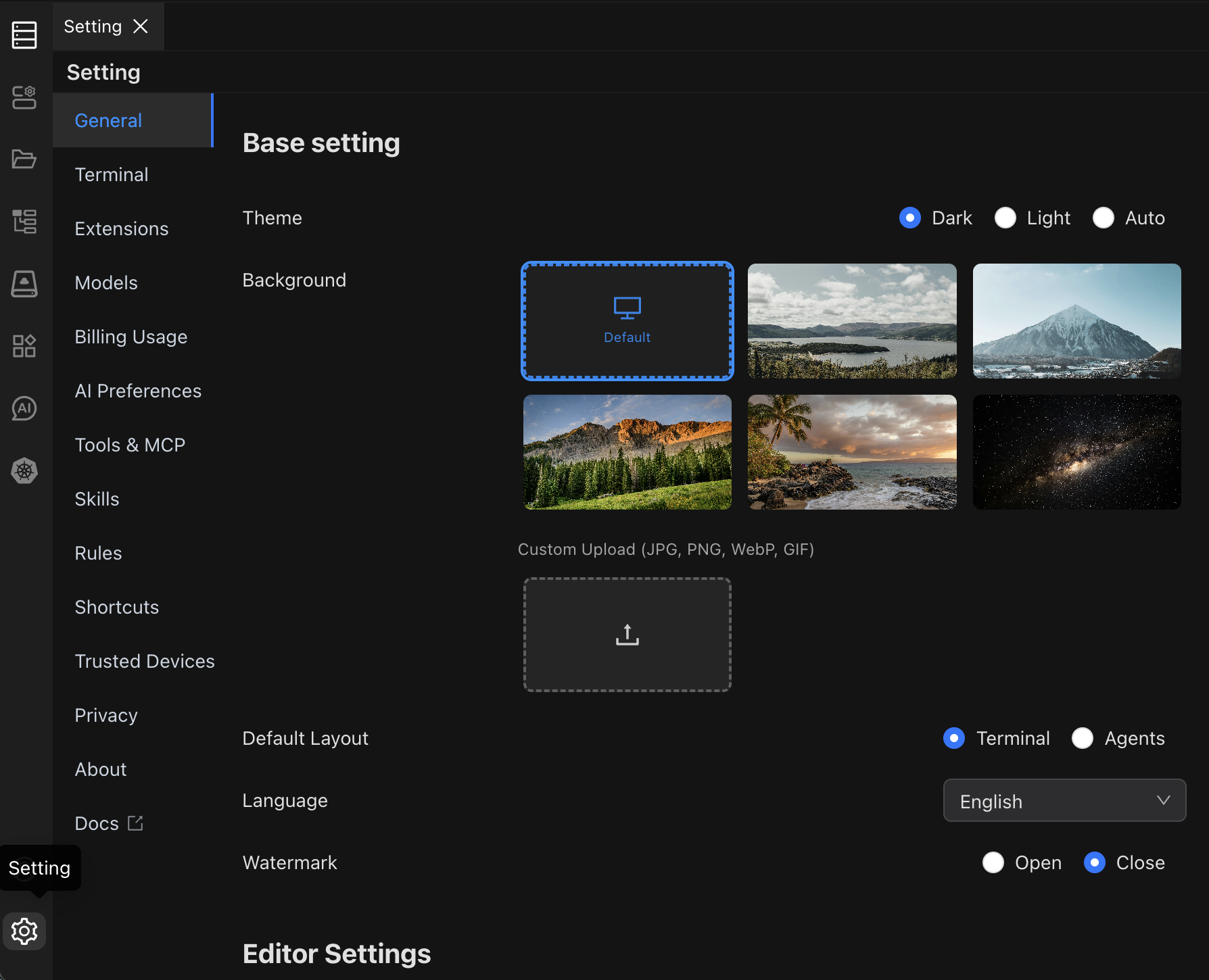
General Settings
| Setting | Options | Default | Description |
|---|---|---|---|
| Theme | Dark, Light, Follow System | Follow System | Controls the interface color scheme. Dark reduces eye strain in low light; Light is best in bright environments. |
| Background | Enable / Disable | Disable | When enabled, you can upload a custom background image or select a system-provided one. |
| Layout | Terminal Layout, Agents Layout | Terminal Layout | Terminal Layout uses a traditional terminal-first view. Agents Layout prioritizes the AI panel. |
| Language | English, Simplified Chinese, Traditional Chinese, Deutsch, Francais, Italiano, Portugues, Russian, Japanese, Korean, Arabic | English | Sets the interface language. Changes take effect immediately without restarting. |
| Watermark | Enable / Disable | Disable | Displays a watermark overlay on the interface when enabled. |
Editor Settings
These settings control the built-in code and text editor.
| Setting | Options | Default | Description |
|---|---|---|---|
| Font Size | 8 -- 32 px | 14 | Font size used in the editor. |
| Line Height | 0 -- 48 | 0 (auto) | Spacing between lines. Set to 0 to let the editor calculate automatically. |
| Font | Preset monospace fonts | Cascadia Mono | Monospace font used in the editor. |
| Tab Size | 1 -- 8 spaces | 4 | Number of spaces inserted when pressing Tab. |
| Word Wrap | Enable / Disable | Disable | When enabled, long lines wrap to fit the editor width instead of scrolling horizontally. |
| Minimap | Enable / Disable | Enable | Shows a small overview of the file on the right side of the editor. |
| Mouse Wheel Zoom | Enable / Disable | Disable | When enabled, use Ctrl + mouse wheel (or Cmd + mouse wheel on macOS) to zoom the editor font. |
See Also
- Terminal Settings -- configure terminal emulation, fonts, and cursor style
- Shortcut Settings -- view and customize keyboard shortcuts