Edit, Clone, or Delete a Host
Manage your existing hosts by editing their configuration, cloning them as templates, or removing them from the list.
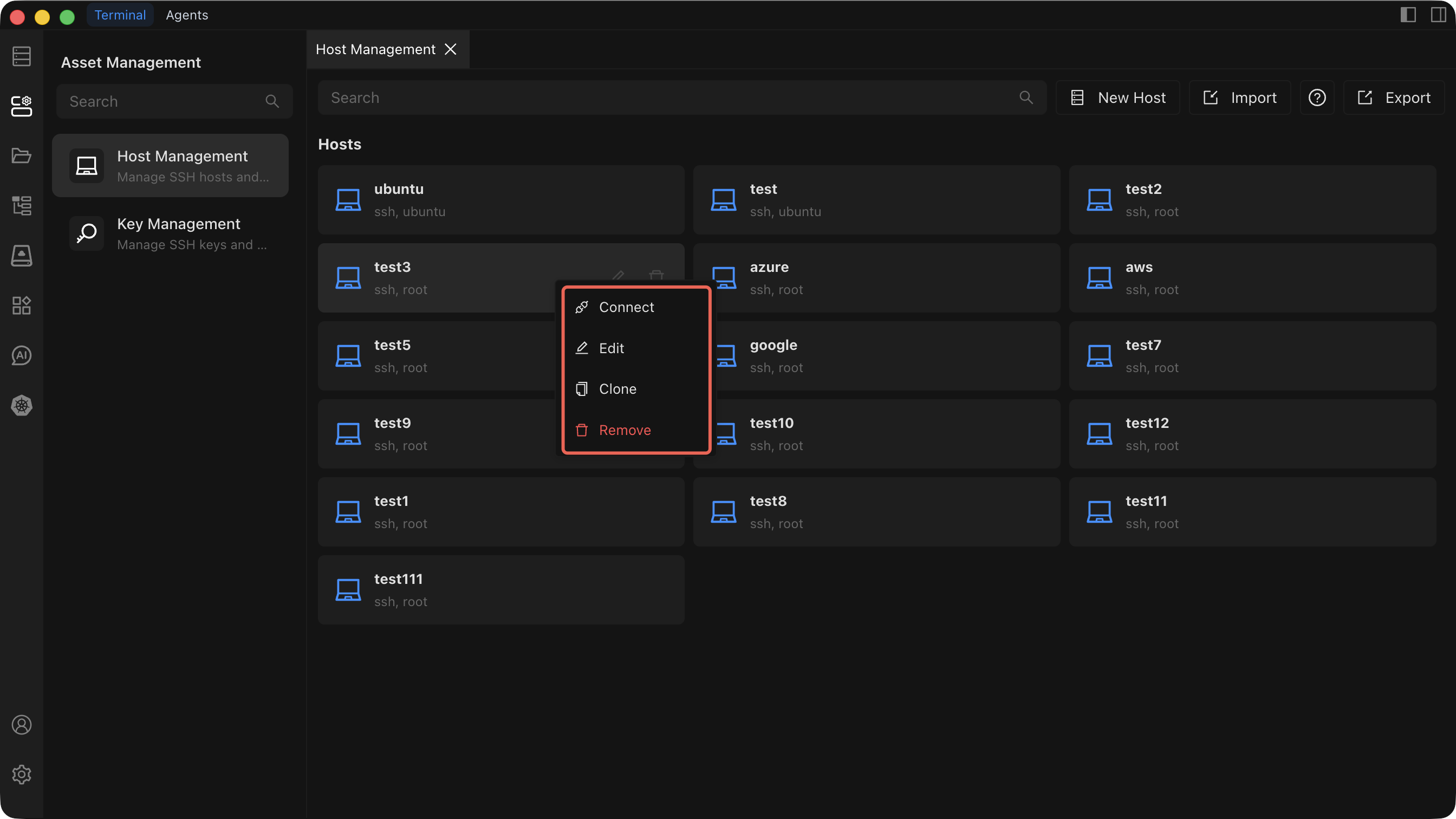
Edit a Host
- Right-click the host in the list and select Edit.
- Modify any of the following configuration fields:
- Connection IP or address
- Port
- Username
- Authentication method (password or SSH key)
- SSH proxy settings (optional)
- Alias
- Group
- Click Save to apply your changes.
Clone a Host
- Right-click the host in the list and select Clone.
- A new host form opens, pre-filled with all configuration fields from the original host. The alias automatically receives a
_Clonesuffix (for example,MyServerbecomesMyServer_Clone). - Adjust any fields as needed.
- Click Create to add the cloned host.
Cloning preserves every configuration field of the original host, including connection address, port, username, authentication method, SSH proxy settings, alias, and group assignment.
Delete a Host
WARNING
Deleting a host is irreversible. Once confirmed, all configuration data for that host is permanently removed and cannot be recovered.
- Right-click the host in the list and select Delete.
- A confirmation dialog appears. Review the host name carefully.
- Confirm the deletion to permanently remove the host.
See Host Management for an overview of all host operations.