AI Dialog
AI Dialog on mobile helps you execute commands, troubleshoot issues, and ask day-to-day operations questions from your phone.
The mobile experience currently focuses on two modes: Chat and Term. You can switch between them from the mode selector below the input box.
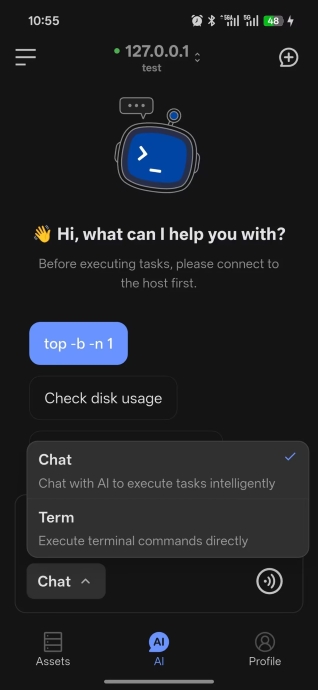
Chat Mode
Chat mode is designed for working with AI on analysis, explanations, and command suggestions.
Usage notes:
- Sign in before using it
- Select an available model in Profile first
- Supports text input
- Supports voice input
- AI can understand natural language and generate executable commands
- AI can continue troubleshooting based on the current context
Best for:
- Learning Linux commands
- Getting troubleshooting suggestions
- Asking for script-writing help
- Understanding configuration files
- Reviewing operations best practices
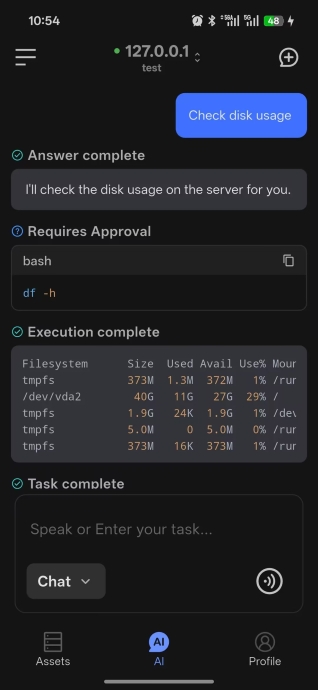
Term Mode
Term mode directly executes commands without sending them through AI.
Usage notes:
- Connect to a server first
- If no server is connected, the page shows an entry to connect a host
- Supports text input
- Supports voice input
- Returns the command output directly
Best for:
- Running a quick one-off command
- Checking host status fast
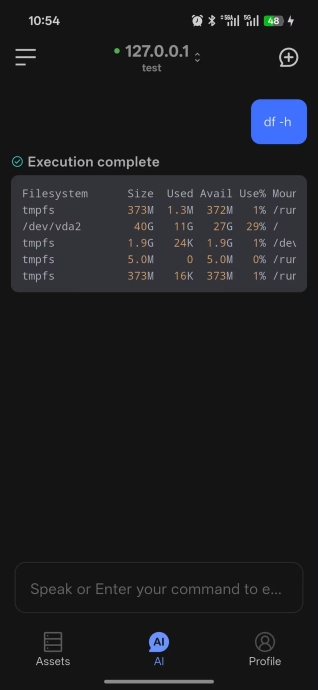
Typical Workflow
- Open the AI dialog page
- Connect to the target host
- Choose
ChatorTerm - Enter a question or command, or start a request with voice input
- Review the result and continue if needed
Recommendations
- Use
Chatmode first when you need explanation, planning, or troubleshooting - After signing in, confirm your model settings in Profile before entering
Chatmode